
How to Enforce Multi-Factor Authentication (MFA) for Your Organization
Multi-Factor Authentication (MFA) is a new security feature in Easyeviction that allows administrators to require all users within an organization to set up MFA before accessing their accounts. This feature helps enhance account security by adding an extra layer of protection beyond a username and password.
To enable this feature, follow the steps below:
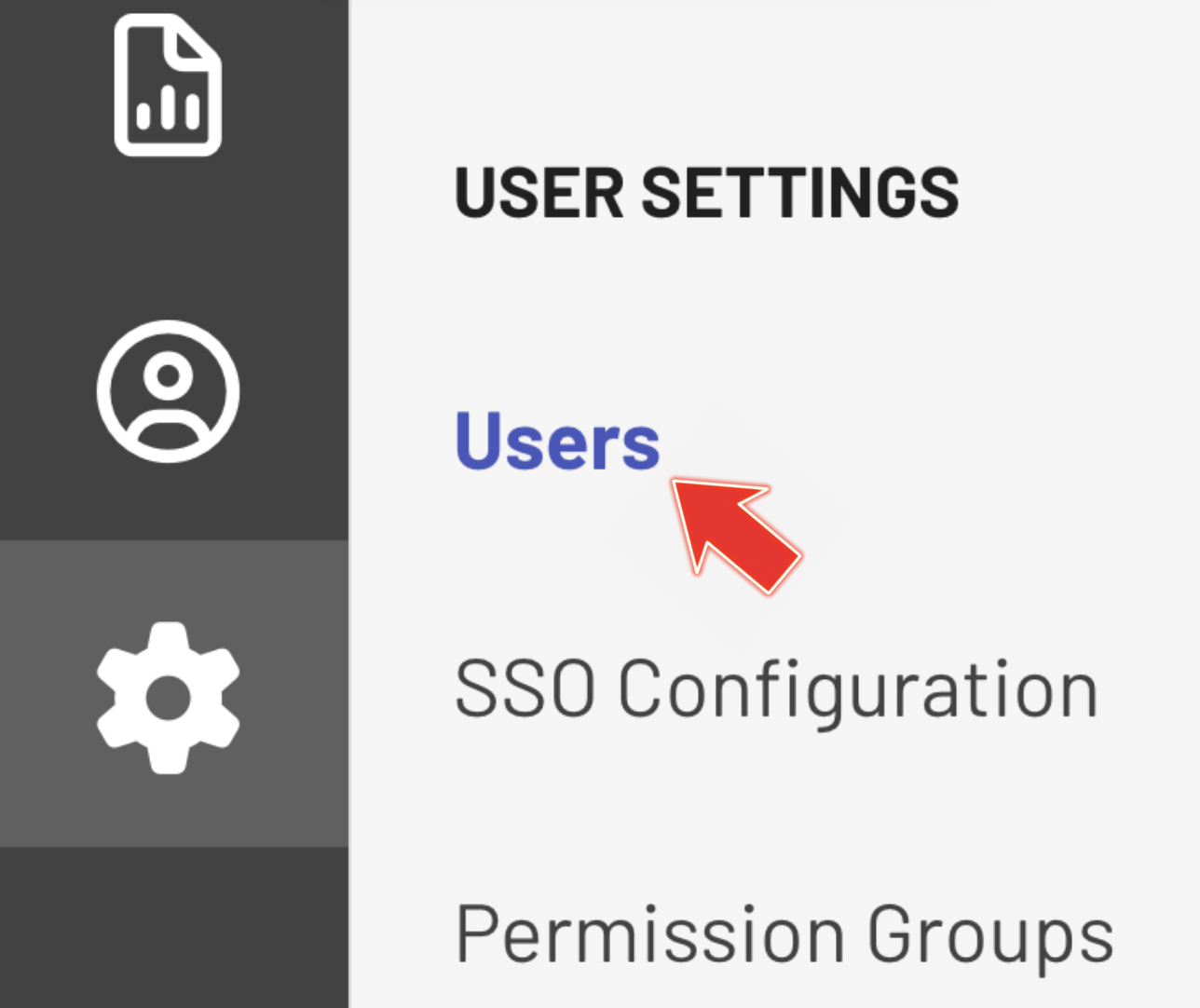
Step 1: Go to USERS in the Admin Settings
Go to Admin Settings and select Users under USER SETTINGS. Here, you can manage all MFA settings for your organization.
Step 2: Locate the Enforce MFA Toggle
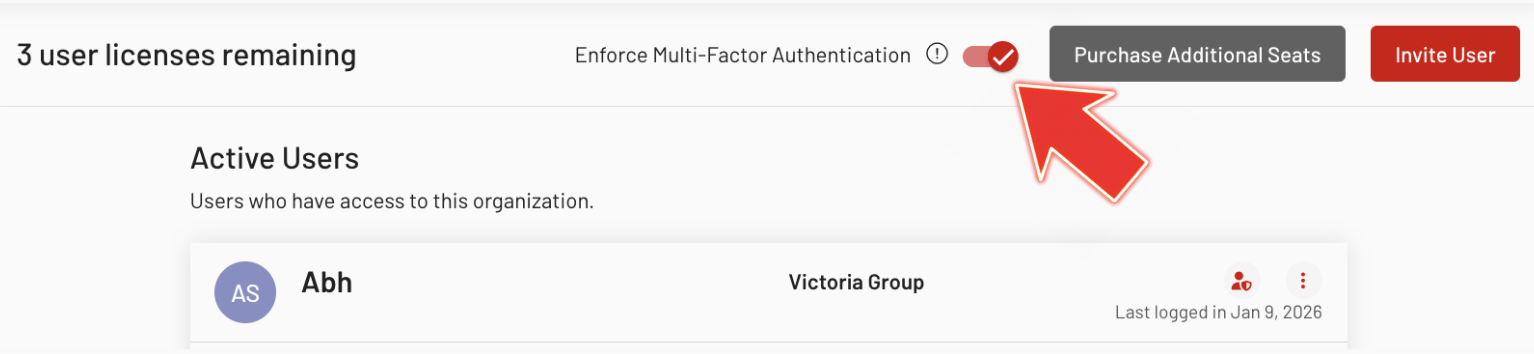
On top of the Users page, find the Enforce Multi-Factor Authentication toggle. There is an information icon next to it explaining that enabling this option will require all users to set up MFA before accessing their accounts.
Step 3: Enable the Toggle
Turn on the toggle to enforce MFA across your organization. Once enabled, the system will require every user to complete MFA setup before logging in.
Step 4: Verify Email Notifications
After enabling the toggle, check that all users in the organization receive an email informing them that action is required to enable MFA. The email should clearly state that they must complete MFA setup to continue accessing their accounts.
Step 5: Test User Login Without MFA
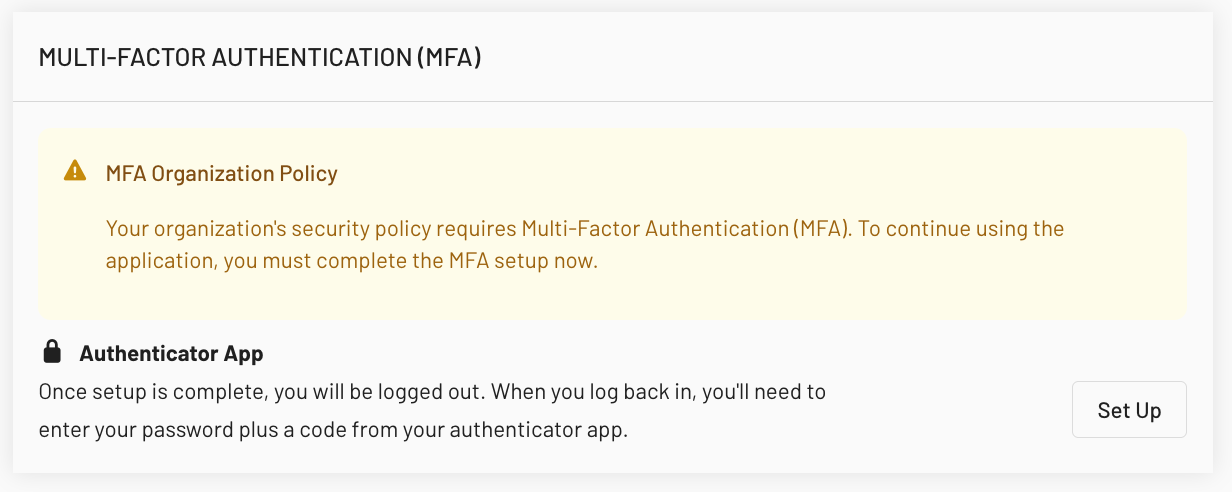
Try logging in as a user who has not yet set up MFA. You should be redirected to a dedicated MFA setup screen. Users will not be able to access any other part of Easyeviction until they complete MFA setup.
Step 6: Complete MFA Setup
Follow the prompts on the MFA setup screen to enable MFA for the user account. Ensure the process is smooth and that the setup instructions are clear.
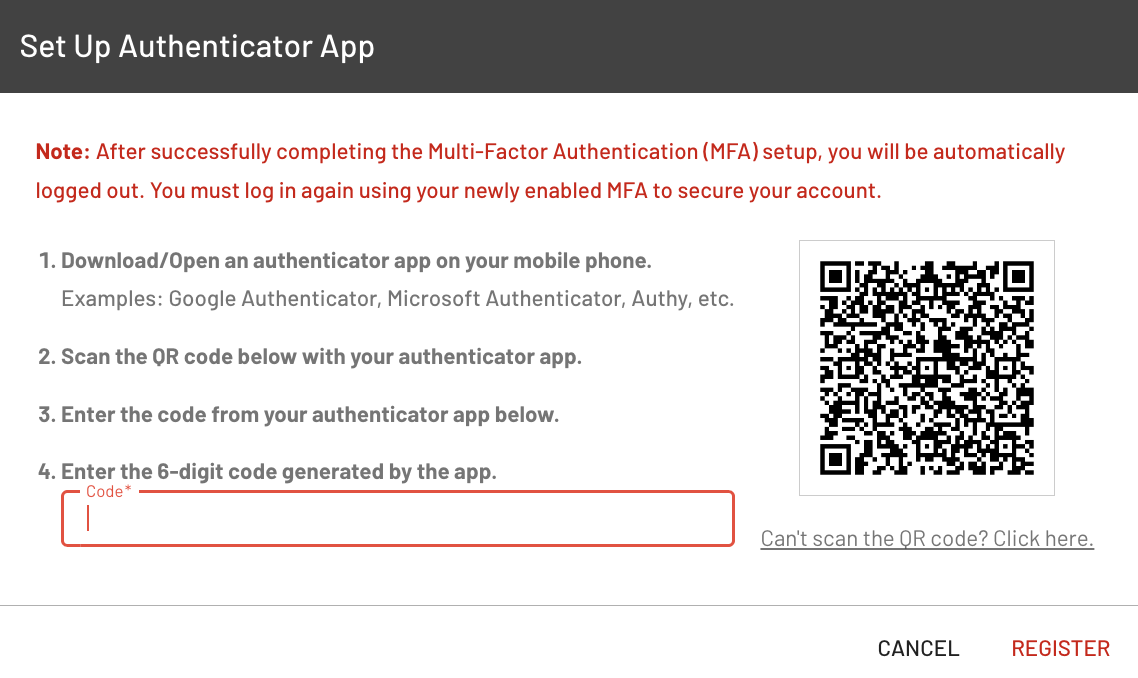
After successfully completing MFA setup, the user should be automatically logged out. Log in again using the username, password, and newly enabled MFA token.
Note: All users who have not completed MFA are still prompted to set it up upon login.
Enforcing multi-factor authentication ensures that all users in your organization meet enhanced security requirements before accessing Easyeviction, helping protect sensitive account and case information.
If you need more support or have any questions, feel free to reach out to our support team.