
For Clients: How to Clone a Closed Case
Steps on how to clone a case (Client Portal)
If you’ve previously filed an eviction and need to refile the same case, EasyEviction's Clone Case feature lets clients recreate a closed case with all the details pre-filled. This ensures your information is accurate while saving you time.
Follow the steps below to clone a case:
Step 1: Open the Closed Case
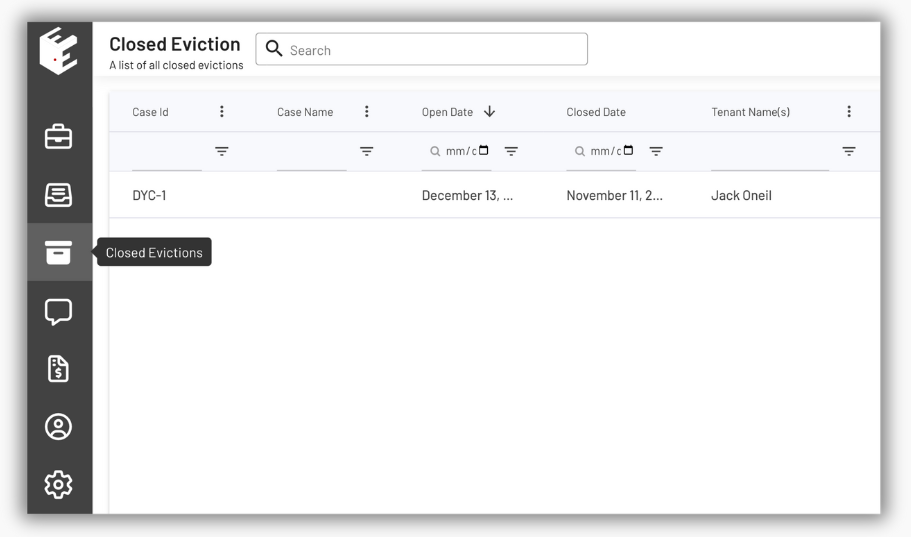
- Click the Closed Evictions widget in the left panel.
- On the Closed Eviction Page, you will see a list of closed cases.
- Select the case you want to open from the list.
Step 2: Open the Closed Case
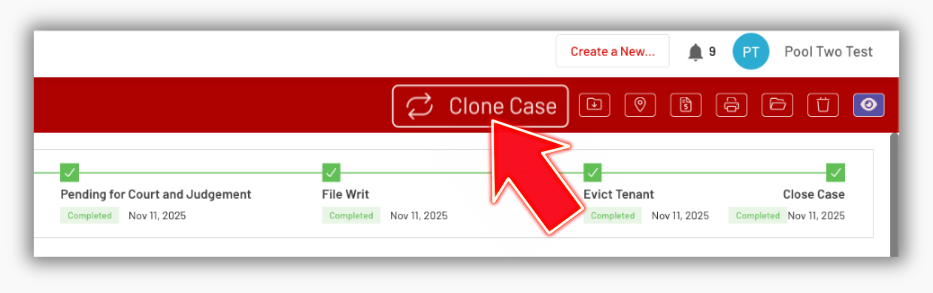
- Click the Clone Case button in the top-right corner of the page.
Step 3: Start the Intake Form
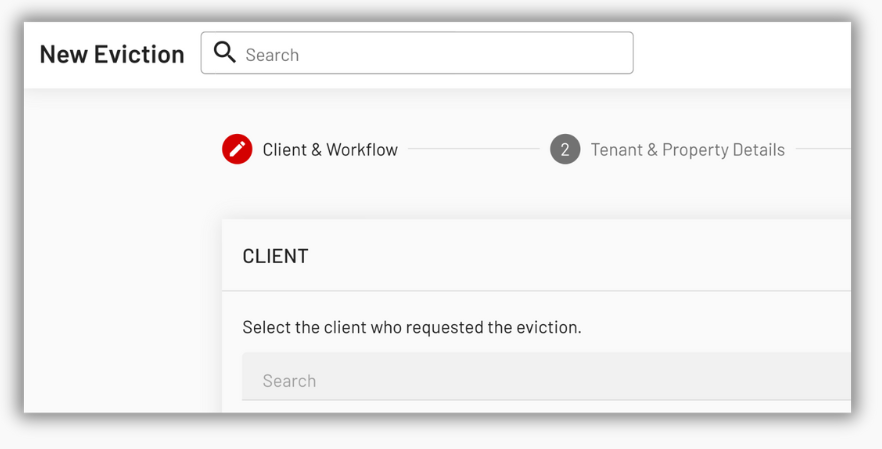
- After clicking the Clone Case button, this launches the New Eviction Intake Form with all fields pre-filled from the original case, including tenant information, property details, rent amounts, and more.
Step 4: Review the Document Page
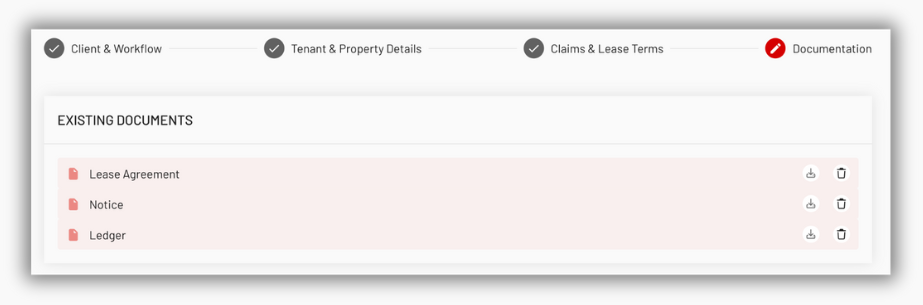
- Documents from the original case ready to be copied
- Optional uploads for new documents
- No mandatory uploads (since cloned documents are used)
Step 4: Submit the Cloned Case
- After clicking the Save button, the newly submitted case appears on the Evictions Pending Review page and in the Eviction Inbox of your Attorney.
- Once the Attorney processes the submitted eviction, a new open case is created in the system with all fields and documents from the cloned case.
- An email notification is sent to confirm that the case has been processed.
- The new case receives a new case ID, and all documents, including cloned and newly uploaded files, are accessible on the Open Evictions Page.
The Clone Case feature simplifies the process of refiling or recreating eviction cases, eliminating repetitive data entry and ensuring accuracy from one case to the next. Both attorneys and clients can quickly reproduce essential case information and documents, saving time and maintaining consistency across workflows.
If you need additional help using the Clone Case feature or any other EasyEviction tools, please reach out to our support team. We’re here to help!