
PACER Audit Logs in Easyeviction
The Audit Logs feature in Easyeviction is a new tool designed to give users clear visibility into system activity, particularly actions that may impact usage and billing. Its main purpose is to help users understand what checks have been performed on their behalf, such as PACER bankruptcy searches, and to provide transparency into when and how often these actions occur. This ensures accountability, builds trust, and allows users to easily review activity tied to their account.
Follow the two easy steps below to view the PACER Audit Logs.
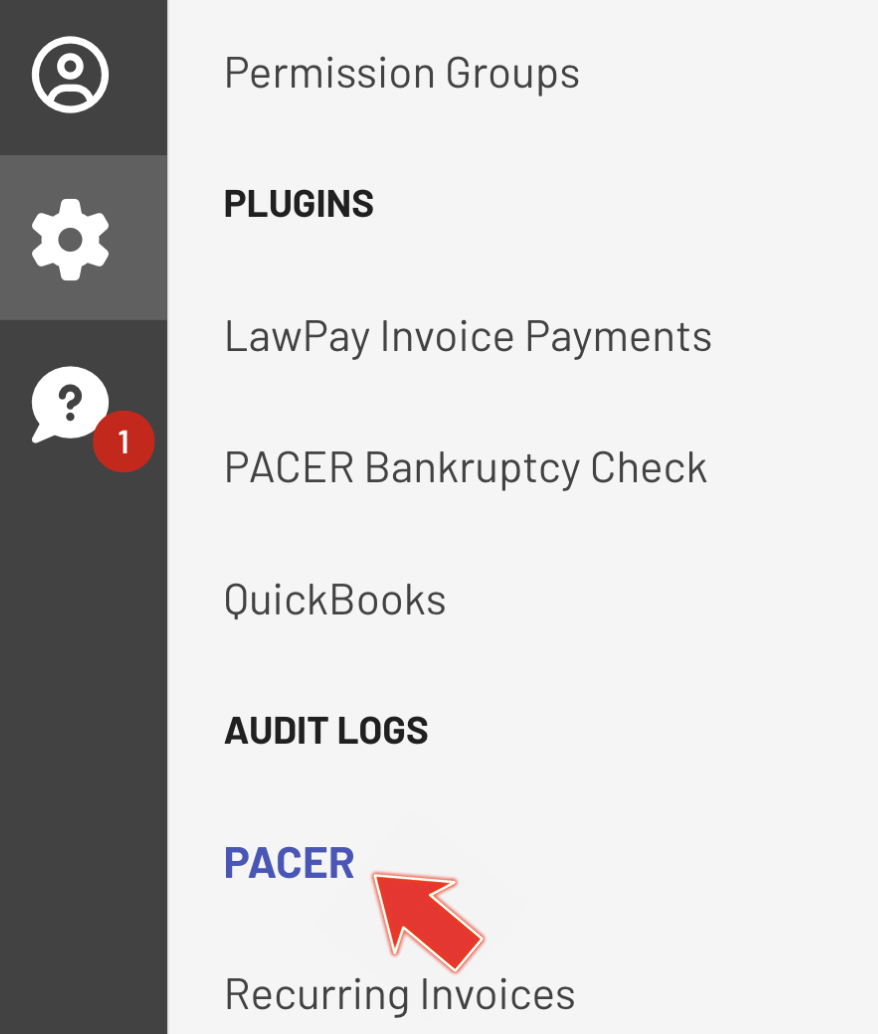
Step 1: Audit Logs - PACER
Go to Admin Settings, then navigate to Audit Logs and click PACER.
Step 2: PACER Activity Logs
View your organization’s PACER search activities, including bankruptcy searches, document retrievals, and related costs. Easily review them using built-in sorting, filtering, and pagination features.
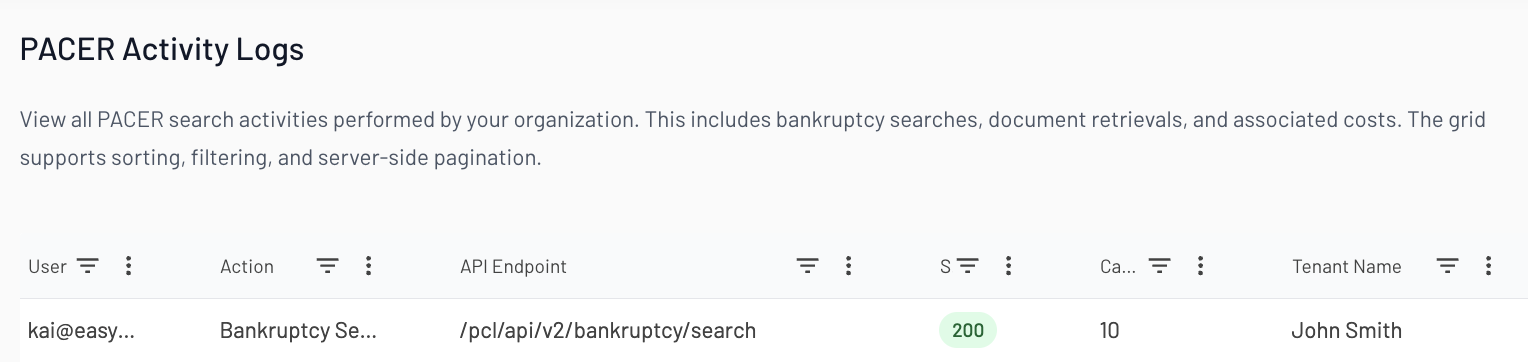
Use the PACER Audit Logs to monitor all PACER search activities across your organization.
The Audit Logs feature provides a transparent, detailed record of system actions, especially PACER bankruptcy checks, allowing users to review usage, verify activity, and better understand billing-related charges within Easyeviction.
If you need more support or have any more questions, feel free to reach out to our support team.