
Eviction Inbox Management
Effortlessly manage your Eviction Inbox with this guide, which will walk you through navigating your EasyEviction Inbox effectively and efficiently.
FILTER OPTIONS:
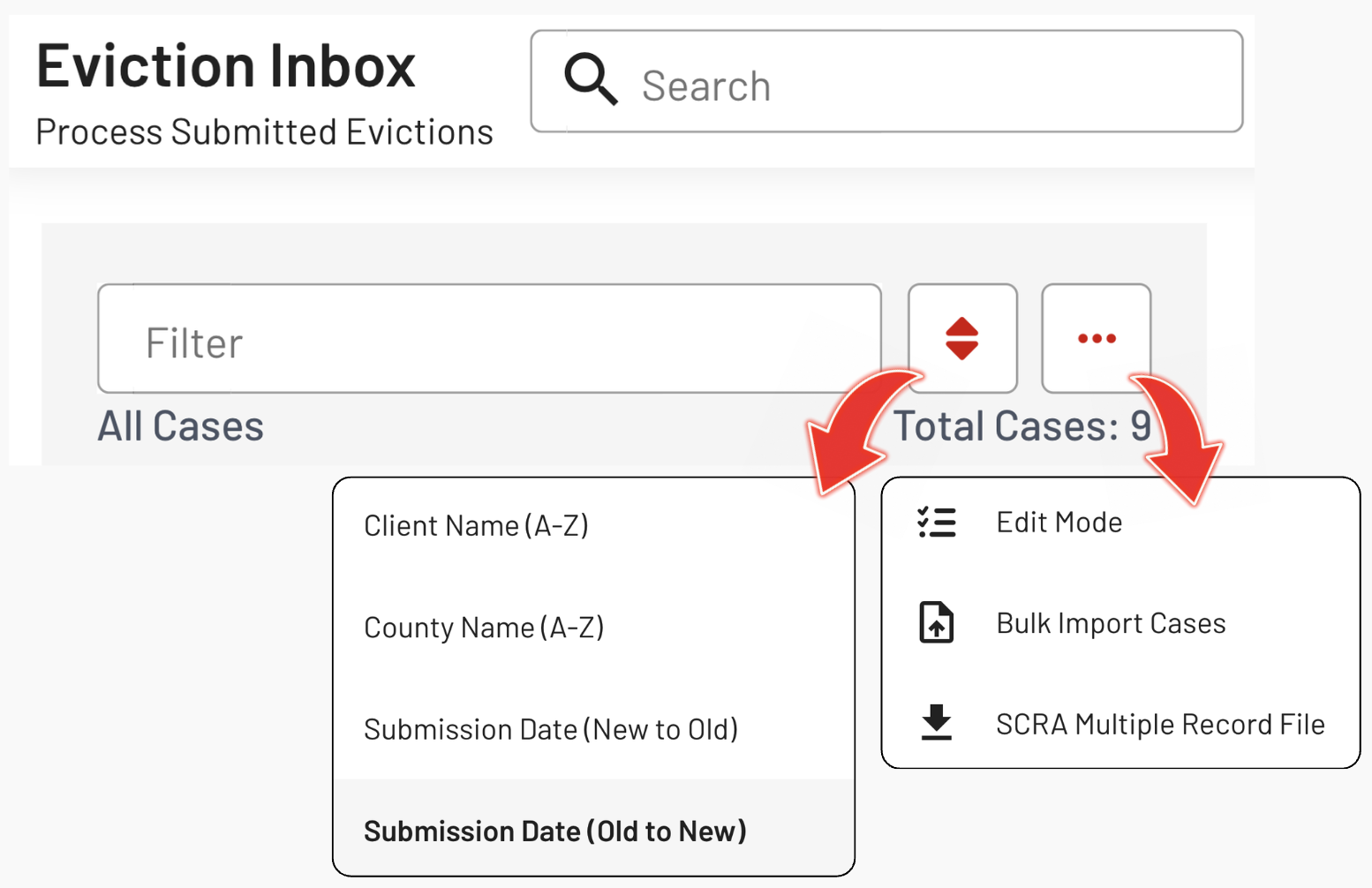
1. Filter Box: Utilize the filter box to display specific eviction cases.
2. Sort Icon: Use the sort icon to arrange eviction cases accordingly.
3. Ellipsis Icon: Edit Mode; Bulk Import Cases; and SCRA Multiple Record File
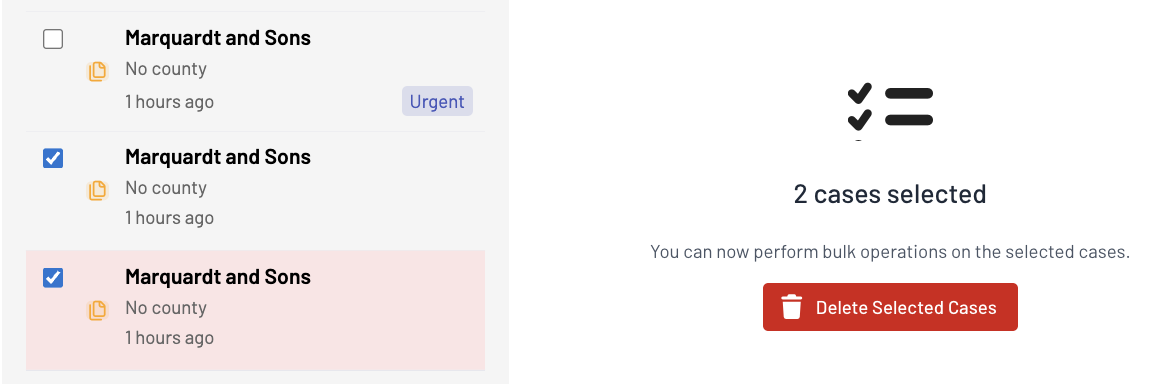
When you click Edit Mode, you can select and delete multiple cases that were imported in bulk at the same time.
TAGS:
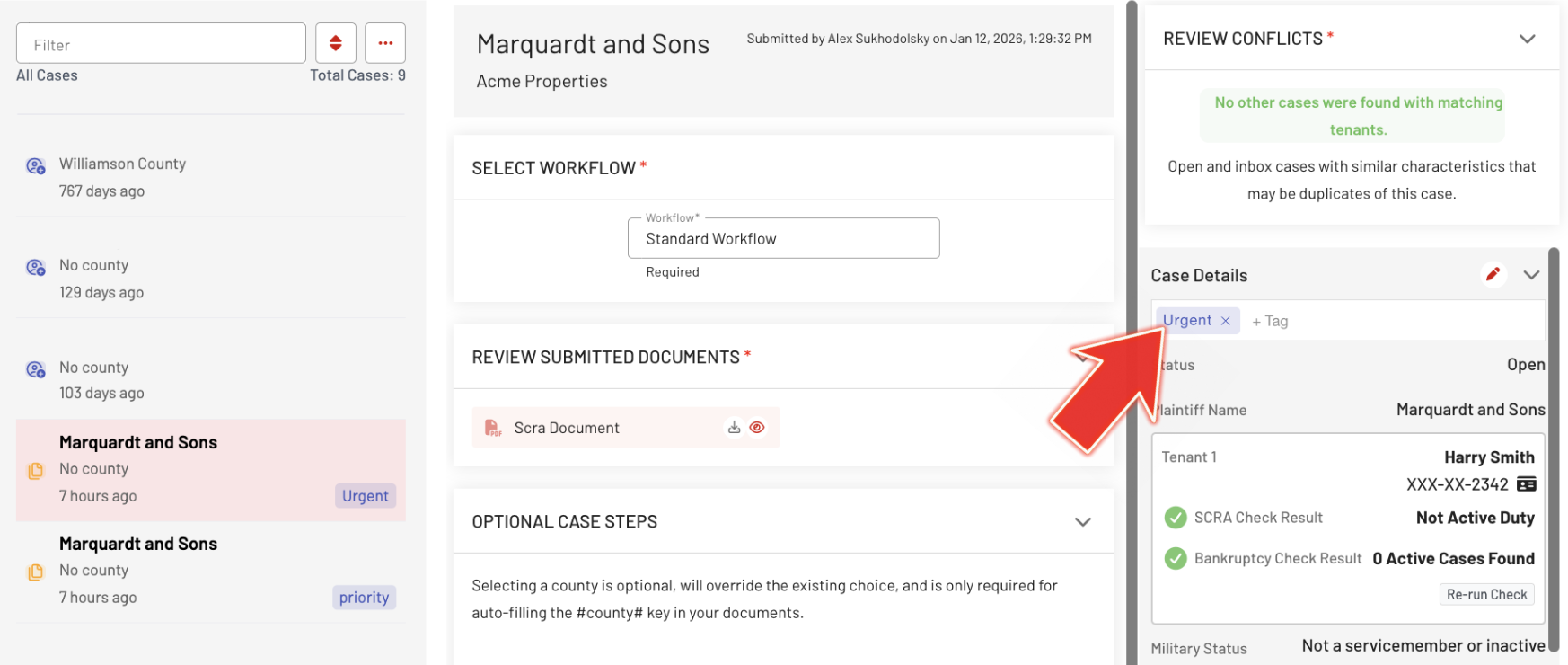
To create a tag, type directly below Case Details in the third column of the page and press Enter. The tag will appear in the first column with a blue highlight.
ACTION CENTER:
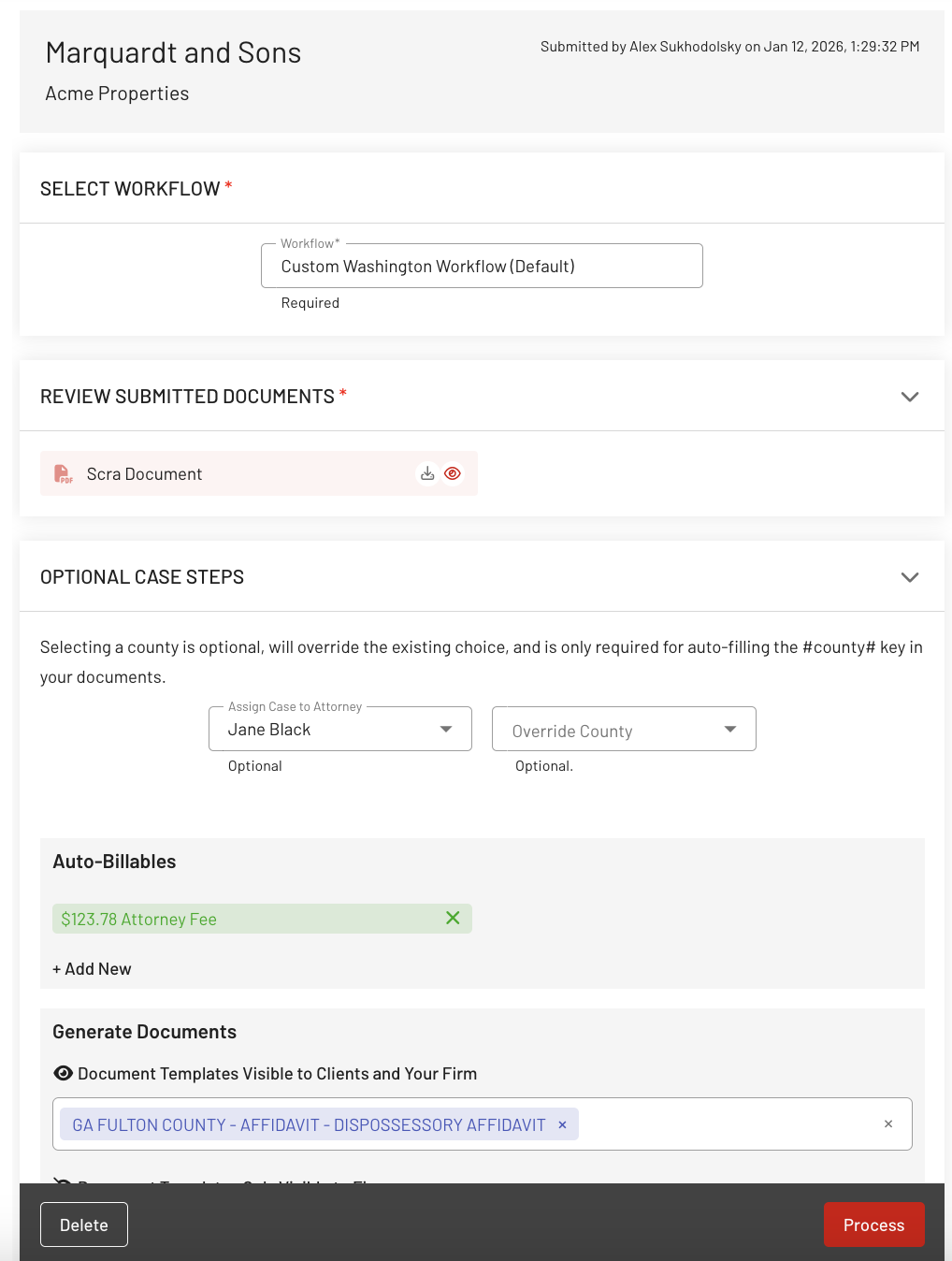
Access the Action Center, positioned at the center of the page, to edit the Eviction Case efficiently. Customize various aspects of the case, from selecting a Workflow to Generating Documents, with ease.
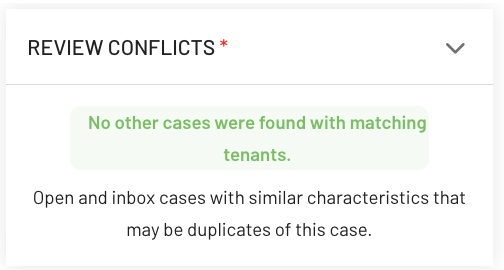
REVIEW CONFLICTS:
Located in the upper-right corner of the page. This ensures accuracy and confirms that successive actions are presen
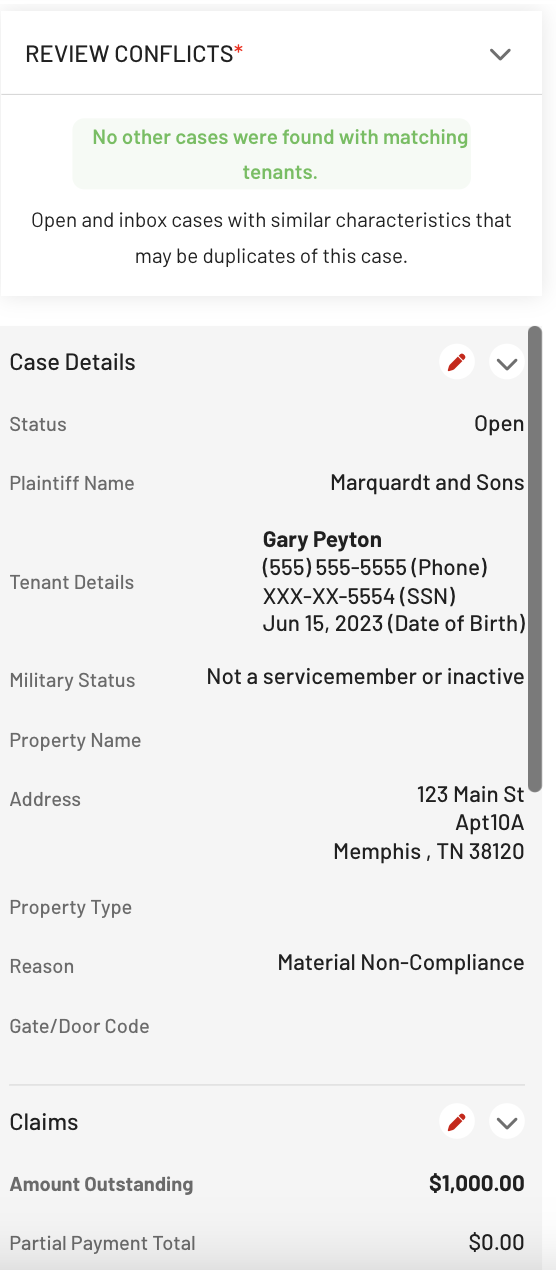
Editable Details:
Click the pencil icon at the rightmost part to edit the Case Details, Claims, Lease Terms & Notice, and Internal Fields.
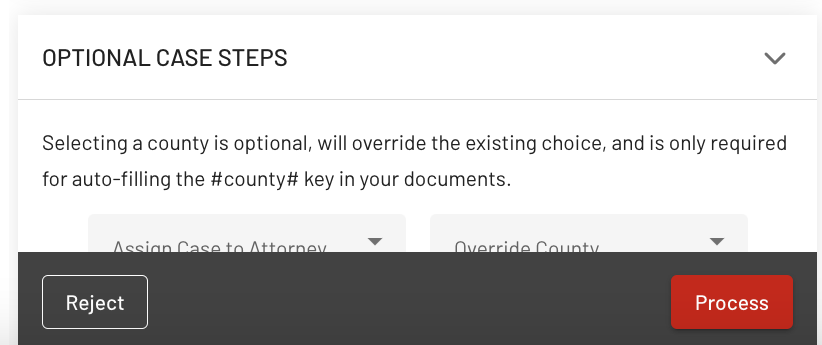
REJECT or PROCESS:
After reviewing the Case, either click the "Reject" button or, if all required fields have been entered or edited, click the "Process" button.
Upon clicking the Process Button, a Notification Bar will promptly appear at the bottom of the page to inform you that the Eviction Case has been Saved, along with its new Case ID.
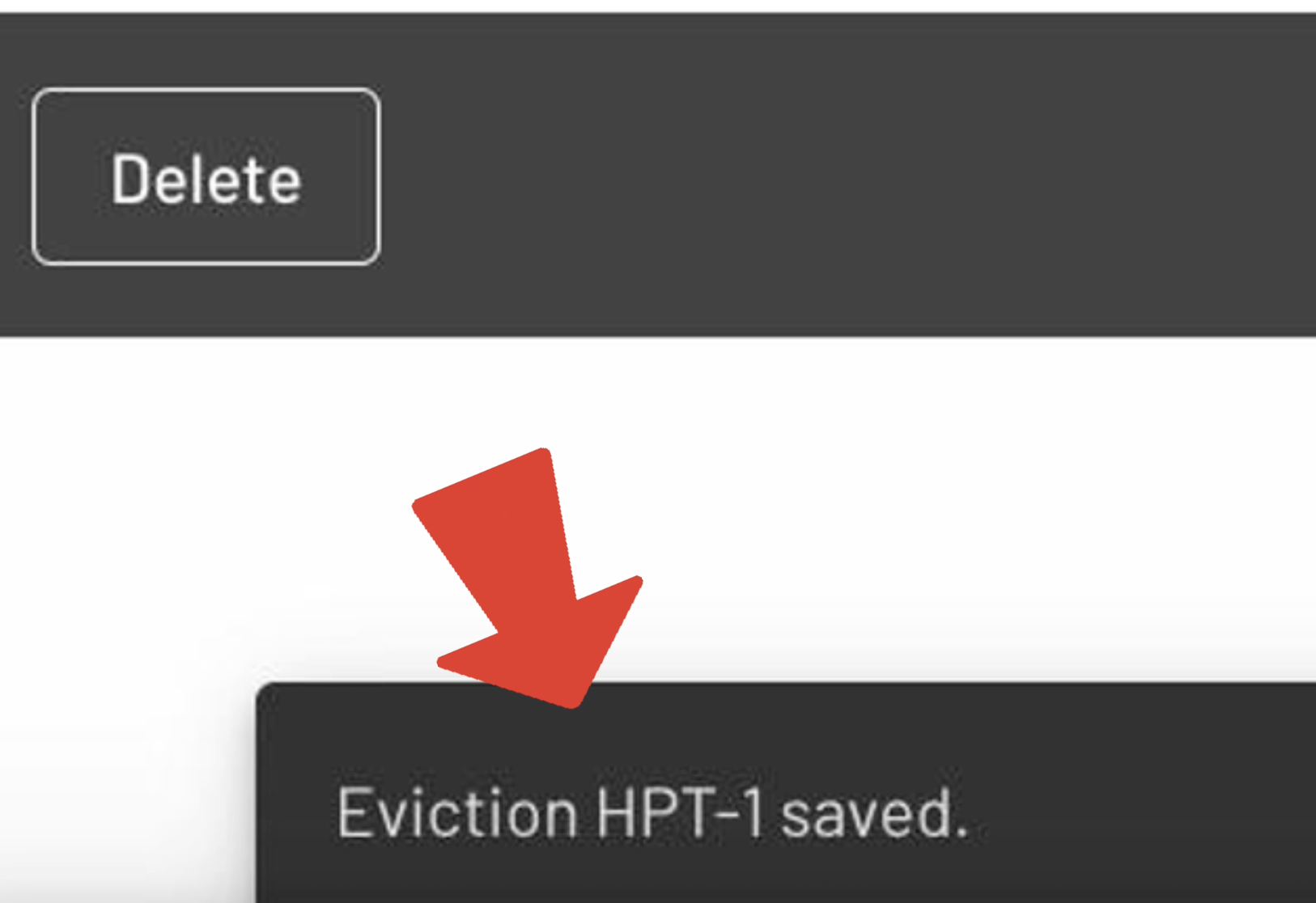
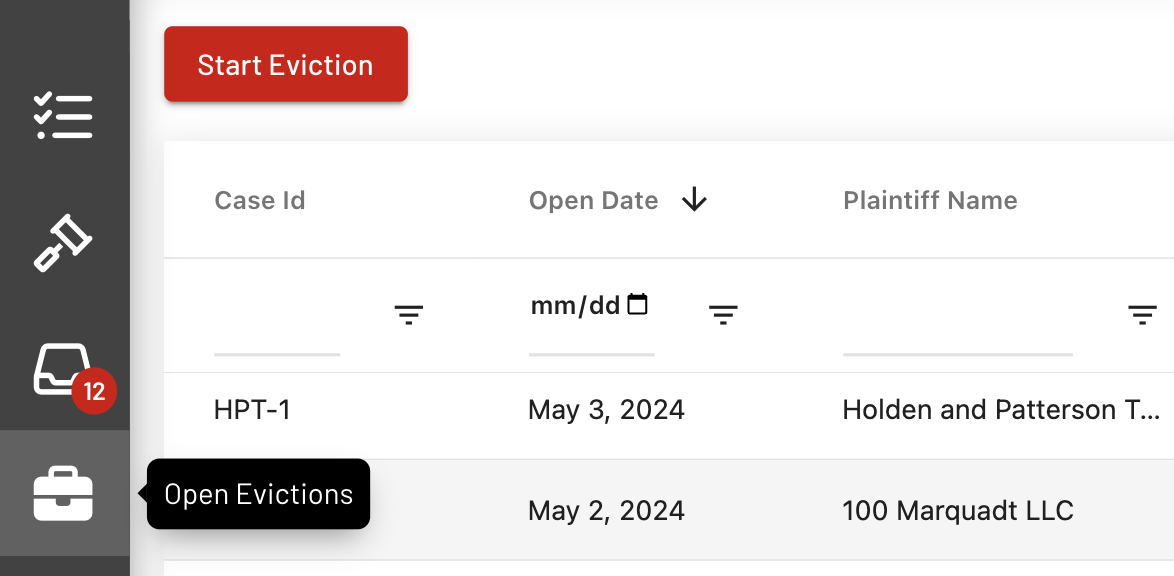
Note: The Processed Eviction Case will be removed from the Eviction Inbox and will be transferred to the Open Evictions Page.
The recently processed Eviction Case will be displayed at the top of the other cases when the cases are sorted according to Open Date.
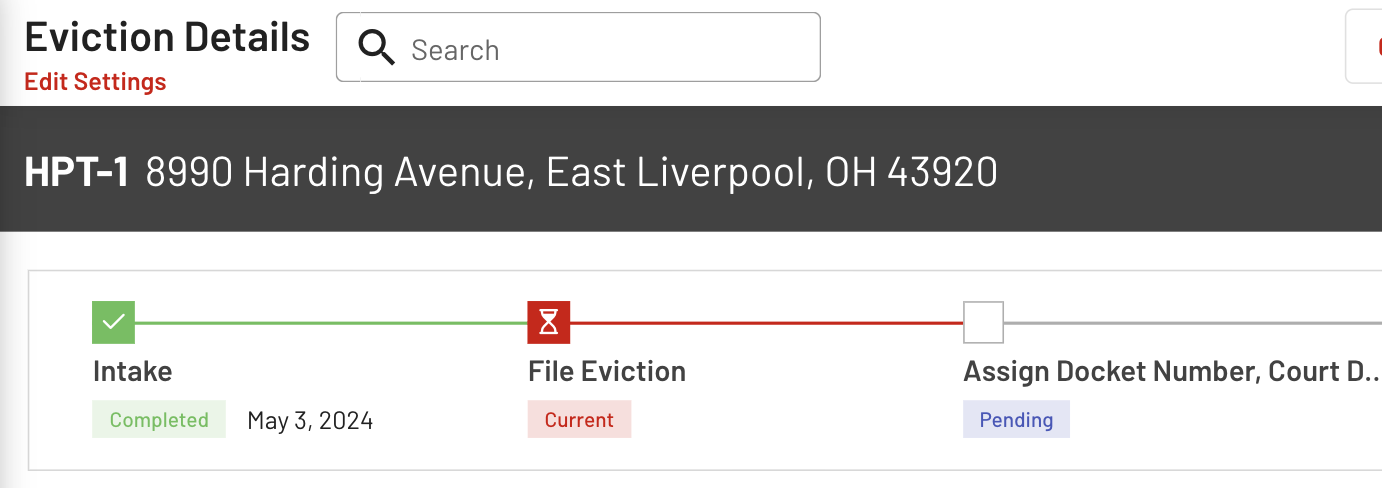
The newly processed Eviction Case will have its Intake Step marked as completed within the Workflow section at the top of the Eviction Details page.
With this guide, you'll be fully equipped to manage your EasyEviction Inbox effortlessly, ensuring a smoother and more efficient workflow.
Should you need additional help or have inquiries, please reach out to our support team.